How to make a QR code: 3 ways, from 30 seconds to from-scratch

Quick answer
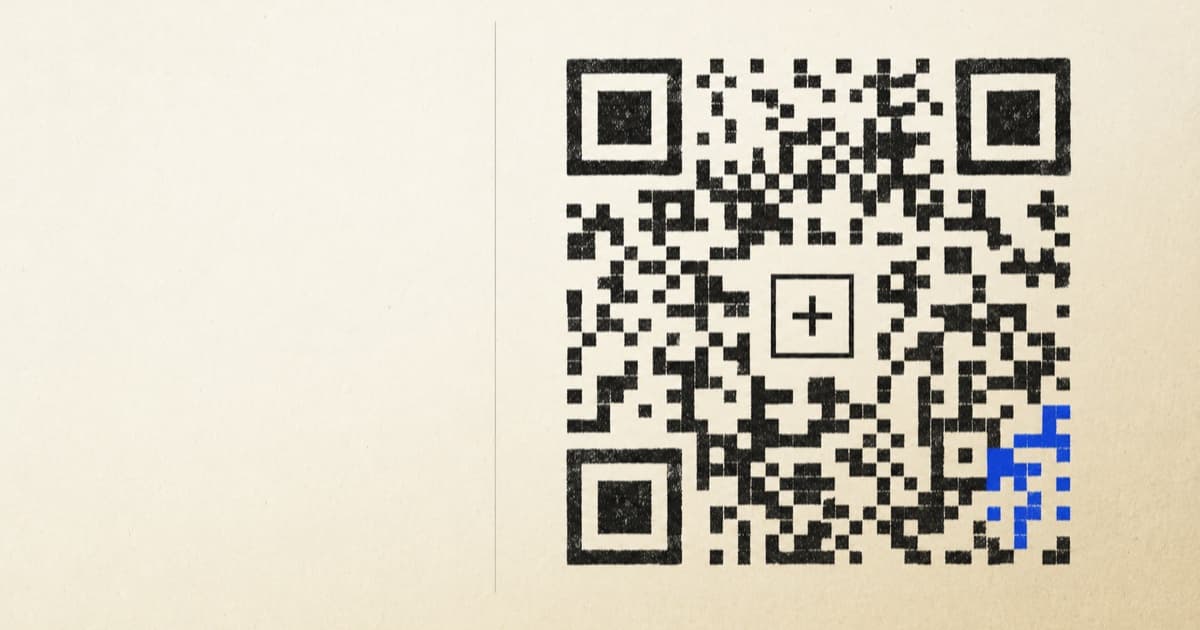
Fastest way to make a QR code? Use a browser-based generator. Paste your URL or text, pick your colors, drop in a logo if you have one, and download a PNG or SVG. No account, no watermark, nobody asking for your email first. And because the data lives inside the code itself, it never expires on you. The free QR code generator does the whole thing in about 30 seconds.
What is a QR code?
A QR code (short for “Quick Response”) is a two-dimensional barcode that holds text. Usually that’s a URL. It’ll just as happily store Wi-Fi credentials, a phone number, a vCard, or any short string you hand it. Denso Wave dreamed it up in 1994 to keep track of car parts on a factory floor, and now it’s an international standard, ISO/IEC 18004, printed on everything from ramen packets to restaurant tables. The black-and-white squares (the spec calls them “modules”) carry your data plus a healthy dose of redundancy, so a phone camera can still read the thing when it’s smudged, scratched, or half-hidden behind a logo. Want the full origin story? The Wikipedia article on QR codes is a good rabbit hole.
The three ways to make a QR code (and which to pick)
There’s no one “right” way to make a QR code. It depends on what you’re after: a code in the next five minutes, a whole pile of them wired into an app, or an actual understanding of how the encoding works. (That last one is Method 3. No judgment.) Here’s the lay of the land.
| Method | Time | Setup | Best for |
|---|---|---|---|
| 1. Web tool (Tooligan) | ~30 seconds | None | Anyone who needs a QR right now |
| 2. Open-source library | 5–15 minutes | Node or Python project | Developers automating many codes |
| 3. From scratch / encoder | Hours | Read the spec | Learning how QR encoding works |
Need a code right now? Method 1. Need to crank out a few thousand from a spreadsheet? Method 2. Method 3 you’ll never ship to production, but you’ll never look at a QR code the same way again.
Method 1: Make a QR code in 30 seconds with a web tool (easiest)
The simplest way to make a QR code is to let the browser do the work. Nothing to install, nobody to sign up with, and it all runs locally, so your URL never leaves your laptop. Three steps:
- Paste your data. Open the free QR code generatorand paste in the URL, phone number, Wi-Fi string, or plain text you want to encode. The preview redraws as you type. There’s no “Generate” button to go hunting for.
- Style it (optional).Pick your dot and corner shapes (rounded, classy, plain old square), choose a solid color or a gradient, and set the background. Transparent is an option too, which is handy when you’re laying the code over a poster or a menu.
- Download. PNG for the web and group chats. SVG for anything going to a printer, since it scales forever without turning to mush. JPEG if some cranky old system insists on a flat background. Done.
Since it’s a static web app, it keeps working offline once it’s loaded. That has saved my bacon more than once, generating codes for a print job on conference Wi-Fi that could barely load a single tweet.
Method 2: Generate a QR code with an open-source library (for developers)
Once you’re making QR codes by the hundred, one per row of a spreadsheet or one stamped on every invoice your app sends out, you want a library instead of a web form. All three below spit out ISO/IEC 18004-compliant codes that any phone camera will read.
Python: the qrcode package
The qrcodepackage on PyPI is the de-facto Python pick. Two lines of real code and you’ve got a PNG sitting on disk.
pip install "qrcode[pil]"import qrcode
img = qrcode.make("https://tooligan.com")
img.save("qr.png")Want more control over the error-correction level, box size, border, or colors? Build a QRCode object directly. The README covers every last knob.
Node.js: the qrcode package
On Node, the identically named qrcode package writes PNG, SVG, or even ASCII art straight to your terminal:
npm install qrcodeimport QRCode from "qrcode";
await QRCode.toFile("qr.svg", "https://tooligan.com", {
errorCorrectionLevel: "Q",
width: 512,
});SVG really earns its keep on the server. You can drop it straight into an HTML email or a PDF without round-tripping through a raster image and losing the crisp edges along the way.
Styled and branded codes: qr-code-styling
For custom dot shapes, gradients, and embedded logos, reach for qr-code-styling. It runs in the browser (or a headless one on the server), and full transparency: it’s the very same library humming under the hood of the Tooligan generator.
npm install qr-code-stylingimport QRCodeStyling from "qr-code-styling";
const qr = new QRCodeStyling({
width: 512,
height: 512,
data: "https://tooligan.com",
image: "/logo.png",
dotsOptions: { type: "rounded", color: "#111" },
cornersSquareOptions: { type: "extra-rounded" },
imageOptions: { imageSize: 0.3, margin: 4 },
qrOptions: { errorCorrectionLevel: "Q" },
});
qr.append(document.getElementById("qr"));The trade-off versus Method 1: now you own the deployment, the dependency bumps, and the lack of a live preview. For a single code, that’s swatting a fly with a forklift. For ten thousand, it pays for itself by lunch.
Method 3: Encode a QR code by hand (the deep-dive)
You’ll almost certainly never need this. But if you’ve ever wondered why a QR code looks like a tiny crossword that lost a bar fight, the encoding is worth a walk-through. ISO/IEC 18004 turns your string into that grid of black and white modules in seven stages:
- Data analysis. Pick the most efficient mode: numeric (0–9), alphanumeric (digits, uppercase letters, nine symbols), byte (UTF-8), or kanji. Shorter modes mean fewer modules.
- Data encoding. Prepend a 4-bit mode indicator, an 8–16-bit character count, then the encoded bits. Terminate with up to four zero bits and pad to a byte boundary.
- Error correction. Split the encoded bytes into blocks and compute Reed–Solomon correction codewords for each one. Four levels control how much redundancy gets added: L (~7%), M (~15%), Q (~25%), and H (~30%).
- Structure final message. Interleave the data and error-correction blocks into a single bitstream, in the order the spec dictates.
- Module placement. Drop in the finder patterns (the three big squares in the corners), alignment patterns, timing patterns, and the dark module. Then snake the bitstream through the cells that are left, starting bottom-right and working up.
- Data masking.XOR one of eight mask patterns against the data modules. Keep the mask with the lowest “penalty score” (the spec lists four penalty rules that head off scan-confusing patterns).
- Format and version info. Encode the chosen error-correction level and mask number into a 15-bit format string with BCH error correction, then place it around the finder patterns. Version 7 and up gets an extra 18-bit version block.
For a concrete example, take the string HELLO in alphanumeric mode. You split it into pairs (HE, LL, O), look up each character’s alphanumeric value, compute 45 × first + second for each pair (the lone trailing character gets written as 6 bits), then prepend the mode and the count. That bitstream is your data payload, before error correction even starts. From there it’s the same seven stages above — blocks, Reed–Solomon codewords, masking — just worked out with a pencil instead of a library.
That’s the deep cut, and honestly I love it. But nobody needs Reed–Solomon math to put a lunch menu online. If you just want a working QR code, scroll back up to Method 1and you’ll be done before the kettle boils.
Types of QR codes you can make
A QR code will hold anything that fits in a string. The trick is the prefix: phone cameras and scanner apps recognize a handful of standard formats and offer the matching action (join this Wi-Fi, save this contact, open this link). Every method above handles all of them.
- URL. Paste the full address (
https://…). Shorter URLs make denser, easier-to-scan codes. - Wi-Fi. Encode it as
WIFI:T:WPA;S:NetworkName;P:Password;;. SwapWPAforWEP, or leave it blank for an open network. Phones join on their own when they scan it. - vCard contact. Paste a full vCard payload (
BEGIN:VCARD…END:VCARD). Scanning offers “Add to contacts”. - Phone / SMS.
tel:+15551234567for a call,sms:+15551234567?body=Hellofor a pre-filled text. - Email.
mailto:hello@example.com?subject=Hi&body=Howdy. - Plain text. Anything else. The scanner just shows the words.
How do I add a logo to a QR code?
Dropping a logo in the middle is the most-requested bit of branding I see, and also the quickest way to break a code if you get cocky. The QR standard’s error correction makes it possible (that Reed–Solomon math quietly rebuilds the data hiding behind your logo), but you’re balancing three things:
- Size.25–35% of the QR’s width is the sweet spot. Push past 40% and scanners start to choke.
- Error correction. Bump it to Q (~25%) or H(~30%) so there’s enough redundancy to survive the logo sitting on top.
- Contrast. Dark dots, light background. Inverted codes (light on dark) scan on a lot of cameras, but not all of them.
Method 1 handles all three for you in the UI. The QR code with logogenerator hands you error correction as a simple dropdown. In Method 2 you’ll want qr-code-styling specifically, since the plain qrcodelibraries won’t composite a logo for you at all.
PNG, SVG, or JPEG: which format should I download?
| Format | Use when | Avoid when |
|---|---|---|
| SVG | Print, posters, vinyl signs, anything that scales | You need a raster image for a chat app |
| PNG | Web, email, chat, slides, social media | You’re going larger than ~1000 px on print |
| JPEG | Legacy systems requiring a flat white background | You want a transparent background |
When you can’t decide, grab both SVG and PNG. The SVG is your master copy. The PNG is your fallback for anywhere that won’t take vector.
Are QR codes free? Do they expire?
Yes, QR codes are free to make and free to use. There’s no licensing fee on the format itself; Denso Wave waved its patent rights years ago. Whether a particular code expires comes down to which kind you made:
- Static QR codes. The URL or text lives right in the matrix. They work forever, with no server in the loop. Methods 1, 2, and 3 all make static codes.
- Dynamic QR codes.The code holds a short tracker URL on someone else’s service, which then redirects to your real destination. You can edit them after printing, but they break the day that service shuts down or you stop paying. Not what you’re making here.
Common reasons a QR code won’t scan
Most scan failures fall into one of five buckets. If a code reads fine on one phone but stonewalls another, run down this list:
- Low contrast. Keep dark dots on a light background, and skip the inverted designs.
- Oversized logo. Keep it under 35% and push error correction up to Q or H.
- Missing quiet zone. Leave at least 4 modules of white margin around the code. Let it bleed into a busy photo and scanners struggle.
- Too much data. Past roughly 300 characters the code gets dense and slow to read. Shorten long URLs first.
- Glossy print finish. Glare off a laminate can wash the dots right out. Matte finishes scan more reliably outdoors.
Frequently asked questions
How do I make a QR code for free?
Use a browser-based QR code generator. Paste your URL or text, optionally pick colors and a logo, then download a PNG or SVG. There’s no account, no watermark, and the QR resolves directly to your data, with no redirect server in the middle.
How do I make a QR code with my logo?
Upload a PNG, SVG, or JPG, set its size to 25–35% of the QR, and bump error correction to Q (25%) or H (30%) so scanners can still decode the code through the obstruction. Keep the logo centered and the dot contrast high.
How do I make a Wi-Fi QR code?
Encode the data string WIFI:T:WPA;S:NetworkName;P:Password;; (replace WPA with WEP or leave blank for an open network). Paste that string into any QR generator and download the result. Modern iOS and Android cameras join the network automatically when they scan it.
What’s the best open-source QR code library?
For Python, the qrcode package is the standard; for Node.js, the qrcode package; for styled/branded QRs in the browser, qr-code-styling (which is what powers the Tooligan generator). All are MIT-licensed and produce ISO/IEC 18004-compliant codes.
Do QR codes expire?
Static QR codes never expire, because the data is encoded directly into the matrix, so the code keeps working forever with no server dependency. Dynamic QR codes (which redirect through a third-party URL) can expire or break if that service shuts down. Generators on Tooligan produce static codes.
What size should a QR code be for printing?
A safe rule is 1 cm of QR per 1 m of scanning distance. For a poster meant to be scanned from 2 m away, print the code at least 2 × 2 cm. Always use vector (SVG) for print so it scales without pixelation, and keep a quiet zone of 4 modules of white margin.
Can I make a QR code without an account?
Yes. Every tool on this page works without an account, email, or login, including the Tooligan generator and the open-source libraries you can run locally. The QR code is generated client-side in your browser or on your own machine, so the data never leaves your device.
Updated . Written by Wyatt Hutchins.